


Console digitale per musica dal vivo incredibilmente compatta e leggera con head amp richiamabili, registratore/lettore di memoria USB incorporato e una qualità audio eccezionale.

iPad application for controlling and monitoring LS9 mixing console

Leggerezza e compattezza per maggiore facilità di trasporto e maneggevolezza
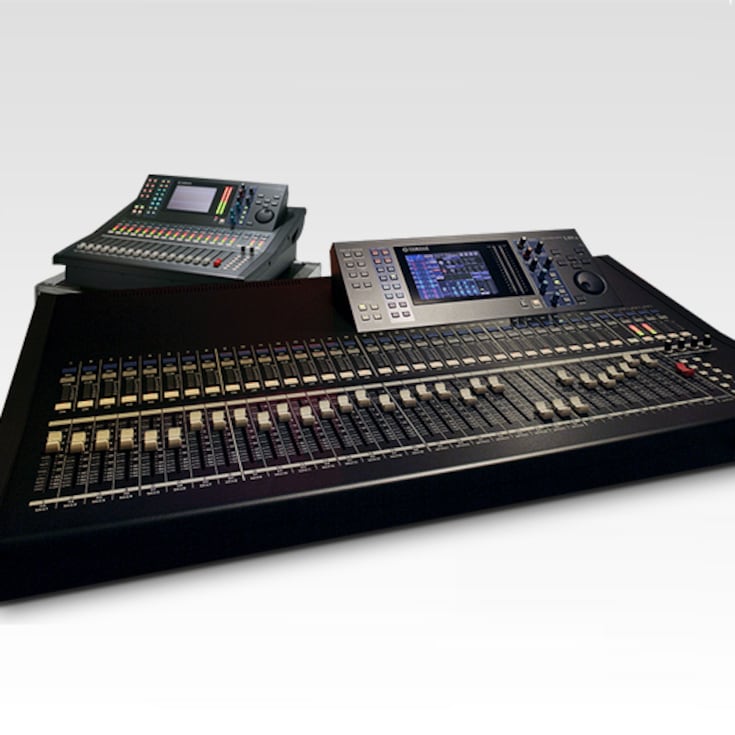
Pur conservando la funzionalità, la qualità del suono e l'operatività degli avanzati mixer digitali Yamaha quali il PM1D, le console della serie LS9 sono piccole e leggere per essere trasportate con facilità e installate da una sola persona (LS9-32=19,4 kg, LS9-16= 12,0 kg). Entrambe le console sono assolutamente maneggevoli e offrono funzioni e prestazioni avanzate per un'ampia gamma di sistemi audio dal vivo temporanei e anche per installazioni permanenti.
* Please read privacy policy carefully before downloading and installing the StageMix.
* Apple, iPhone, iPod touch and iPad are trademarks of Apple Inc. registered in the U.S. and other countries. App Store is a service mark of Apple. Inc.
Nota sull'uso
I dati RTA non vengono visualizzati in iPadOS 18 o versioni successive a causa di una modifica delle specifiche di iPadOS.
Funzionalità
The Best Listening Position is the Best Control Position
In many cases the console position is not the optimum place to be when mixing for live sound. In fact, space and other restrictions sometimes mean that the console ends up in the worst possible spot for listening and mixing.
Mixer Window
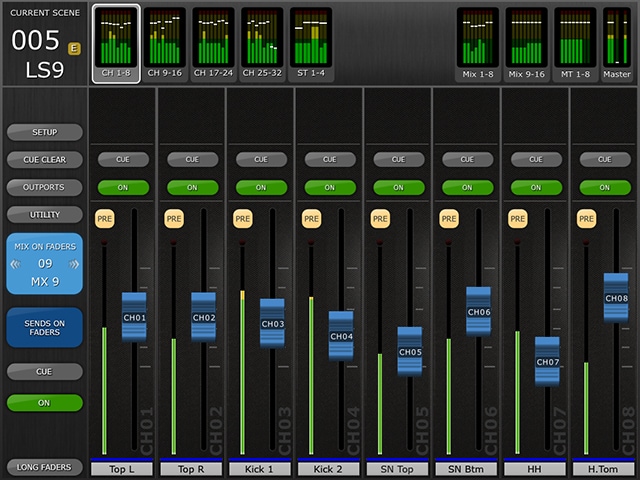
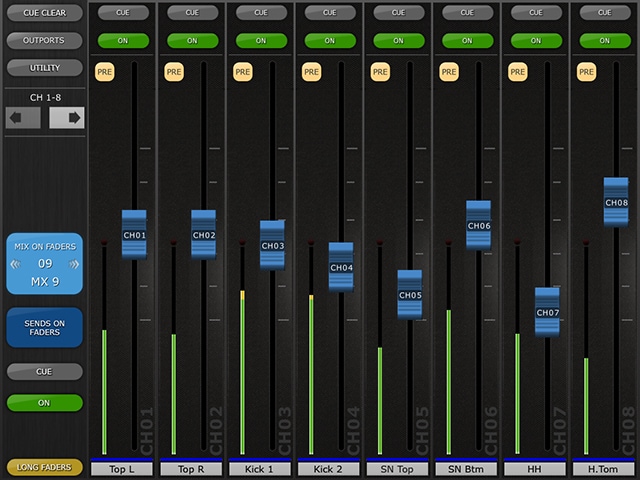
The main page of the StageMix is called the "Mixer" window. It shows the EQ curve, CUE and ON buttons, fader and level meters, and channel names for eight adjacent channels.Across the top of the screen, all Input, Mix and Matrix level meters and faders are displayed in blocks of eight. This is the "Navigation/Meter Bridge". Press any of these blocks to select which channels are viewed in the fader strips below.
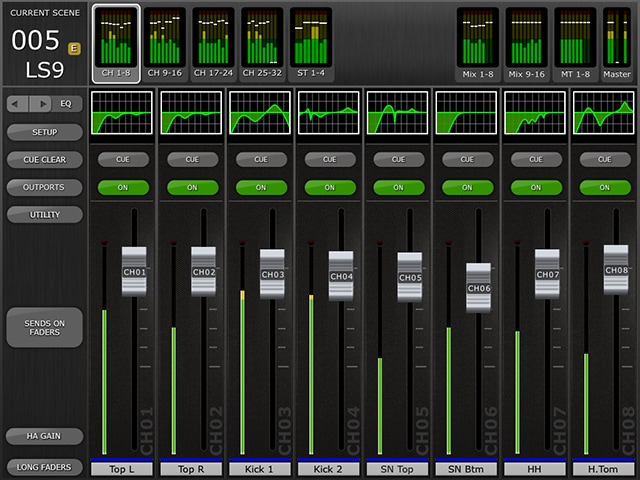

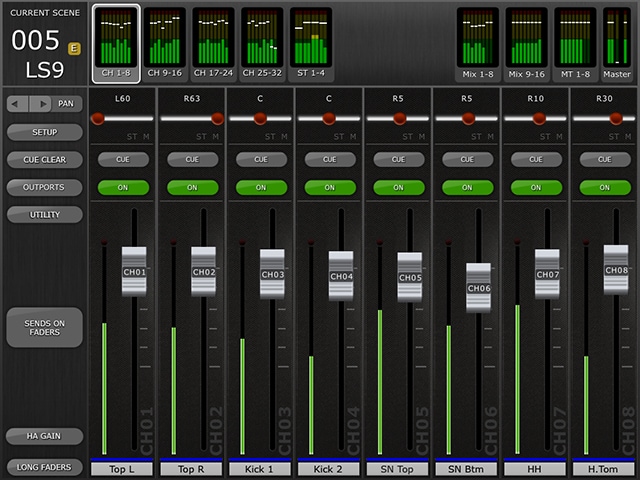
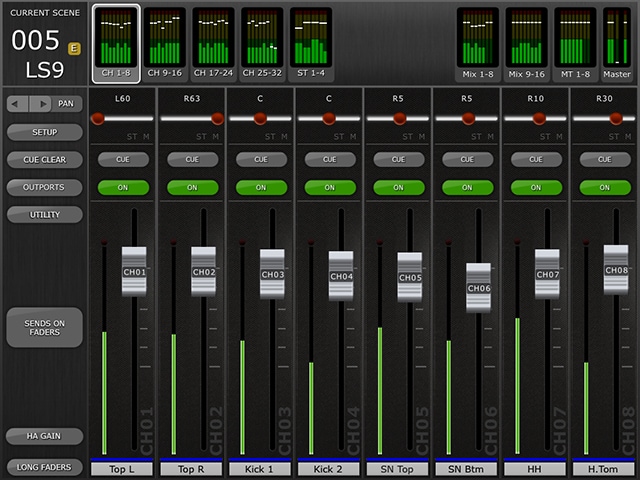
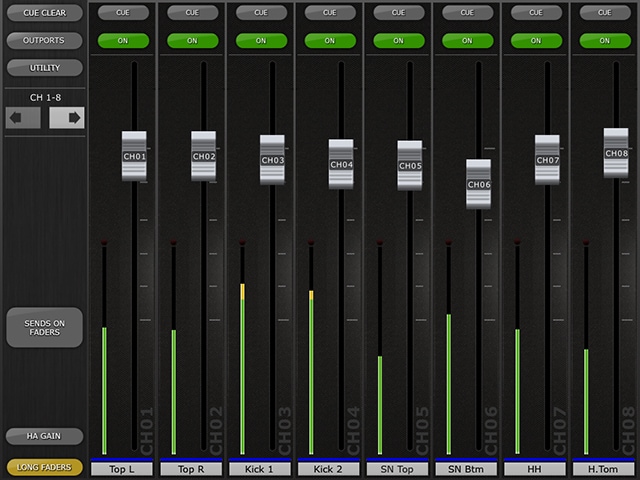
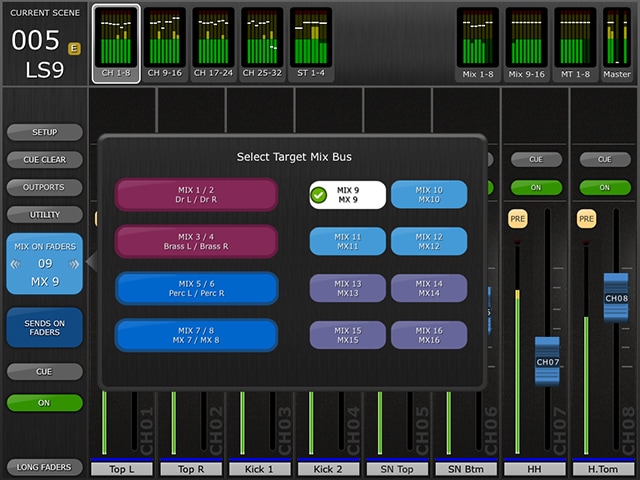
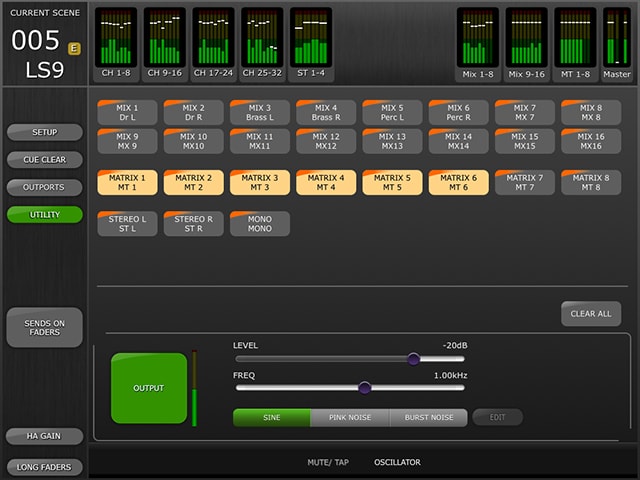
SENDS ON FADERS
The colour of this button matches those used on the LS9 console. [CUE] and [ON] buttons appear below, allowing the currently active Mix or Matrix bus to be Cued and turned On/Off.

EQ Editing (GEQ)
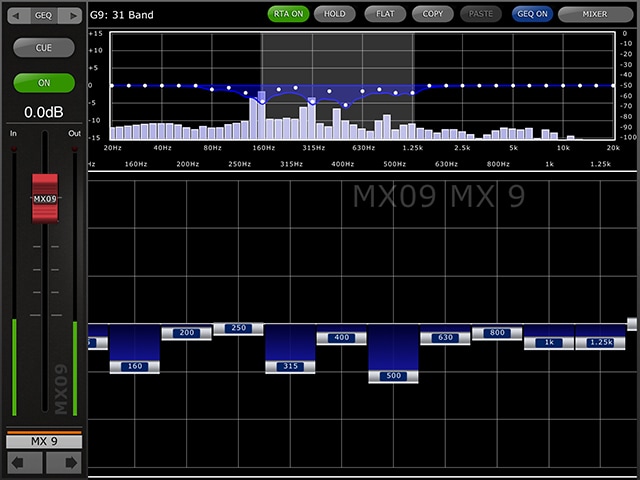
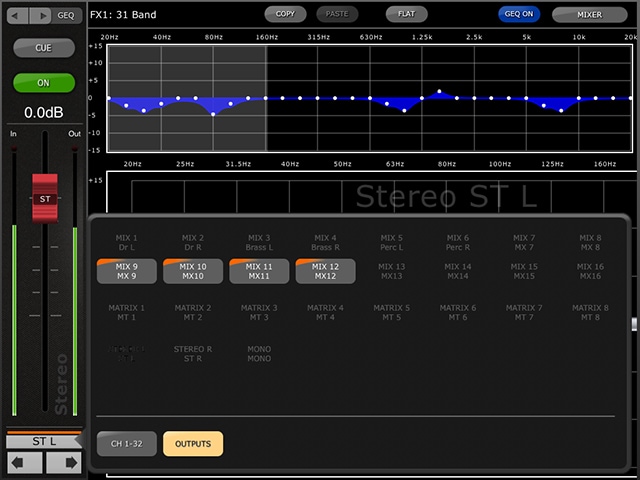
The upper section of the GEQ setup screen shows GEQ curves and gain levels of all 31 bands. White dot indicates the level position of each band. You can set up each band level by faders shown below it. Settings can be done up to 10 bands at once. Slide the screen to select different bands.
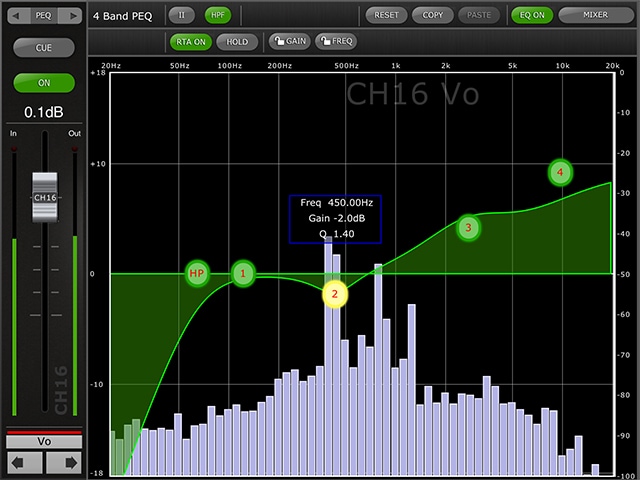
EQ Editing (PEQ)
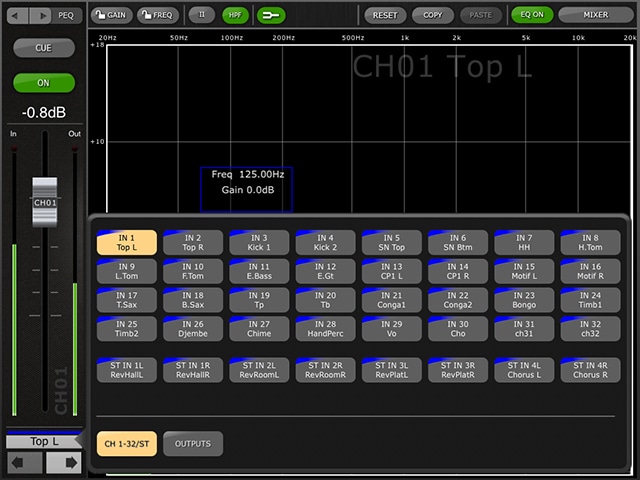
One band of Parametric EQ can be adjusted at a time. Press one of the green circles to select the band, and it will be highlighted yellow. EQ bands in StageMix are labelled as follows:- HP = HPF (input channels only)- 1 = Low Band- 2 = Low-Mid Band- 3 = High-Mid Band- 4 = High Band
Head Amp Gain
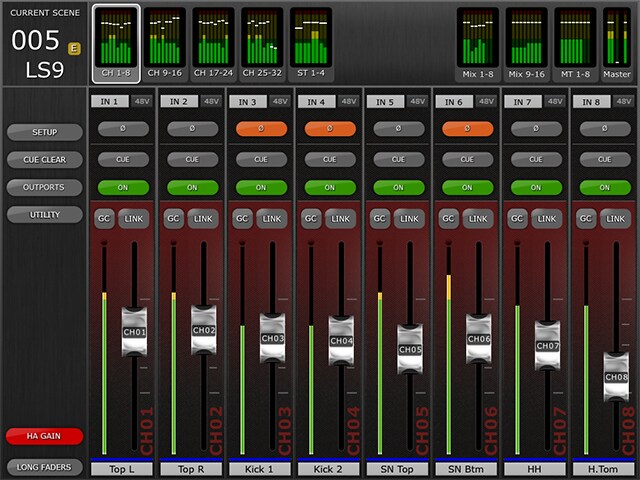
The head amp gain for each input channel can be controlled using the faders in StageMix. Press the [HA GAIN] button in the lower left portion of the Mixer window to enter HA GAIN mode. This button will turn red and the background behind the channel faders will become red to indicate that StageMix is in HA Gain control mode.
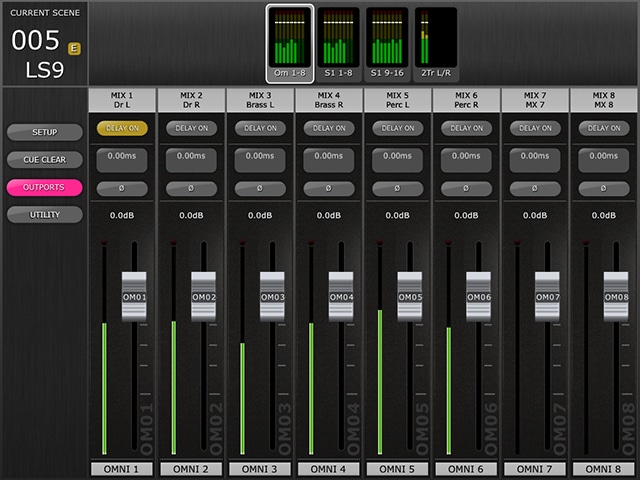
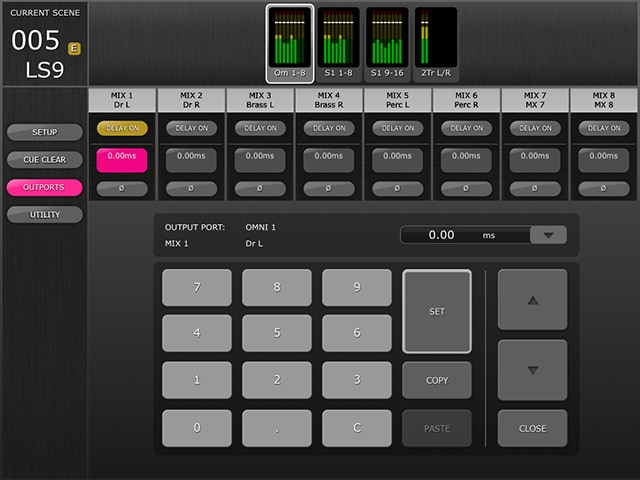
Outports
Scene Memory
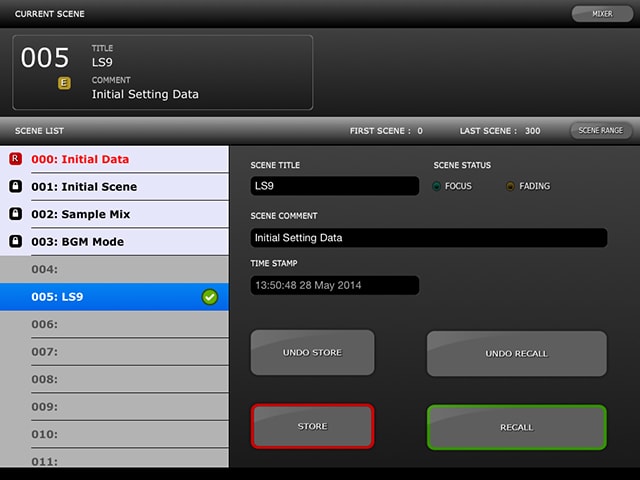
From this screen, the parameters on the console can be stored to the Scene Memory, which can also be recalled to the console when selected. Scene Titles and Comments that are shown on this screen can be edited easily by tapping on them.
Informazioni correlate
Prodotti correlati


Notizie

* Le specifiche sono soggette a modifiche senza preavviso. I colori e le finiture mostrati possono variare rispetto a quelli dei prodotti reali.
