


Benvenuto in EXPANSION EXPLORER, una soluzione completa per scoprire, installare e gestire i contenuti Expansion sulle Yamaha PSR-SX920/SX720/A5000 e sulle Workstation Arranger Genos2.


Benvenuto su EXPANSION EXPLORER!
Una soluzione unica per scoprire, installare e gestire i contenuti Expansion sulle Yamaha PSR-SX920/SX720/A5000 e sulle Workstation Arranger Genos2.
-
GUIDA ALL’APP
Migliora la tua esperienza musicale con Expansion Explorer, che ti aiuta a gestire e installare i contenuti Expansion in modo semplice e veloce.
-
Novità della versione 1.5
Presentazione del nuovo menu Launcher, della ricerca Preset e di una gestione dei contenuti più intelligente.
What is Expansion Content?
Expansion Content includes free additional Voices, Styles, MultiPads, and more for you to install and enjoy on your Arranger Workstation. A growing library of Expansion Content is already available, featuring a diverse range of instruments and Styles from around the world.

Cerca
Accedi a Search istantaneamente dal nuovo menu Launcher ed esplora sia i contenuti di Expansion sia quelli di Preset quando sei collegato al tuo strumento. Usa filtri avanzati per perfezionare i risultati per Paese, tempo, beat e altro ancora.

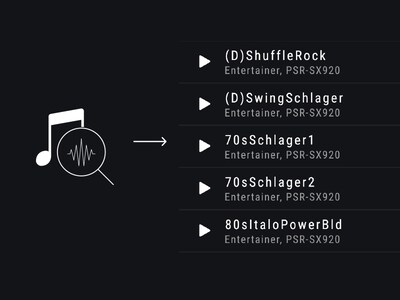
Style Recommendations
If you have an audio file of the song you want to play, EXPANSION EXPLORER can analyze it and recommend the most suitable Style from the Expansion Content library for your performance.
Pre-listen
Content can be auditioned in the app before installation. You can listen to the auditions anytime, even without being connected to your instrument.

Install
The app installs your chosen content directly to your instrument. Depending on your instrument’s specification, this is done wirelessly or via a USB cable.

Gestione dei contenuti
Gestisci facilmente i tuoi bank di registrazione e le tue playlist: visualizza i contenuti, rinomina gli elementi e modifica l’ordine. Su Windows e Mac puoi anche importare e installare contenuti di terze parti, come pacchetti, stili, voci, brani e registrazioni, direttamente sul tuo strumento collegato.

Cautions
Contents already installed by Yamaha Expansion Manager into the Expansion area of your keyboard, including pre-installed content in PSR-SX920 and 720, will be removed when installing new content from Yamaha EXPANSION EXPLORER.
About pre-installed content in PSR-SX920 and 720, you will be able to reinstall them through the EXPANSION EXPLORER app, if desired.
* Le specifiche sono soggette a modifiche senza preavviso. I colori e le finiture mostrati possono variare rispetto a quelli dei prodotti reali.
